Table Detection
Detects supported poker table windows and keeps your workspace organized as sessions evolve.
Start your 30-day free trial
Public Beta — 100% FREE — --- d : -- h : -- m : -- s remaining
Start your 30-day free trial
 Seatify Pro
 More than a table manager. Seatify Pro organizes your whole workspace — tables, lobbies, Discord, browsers, trackers — so every window lands where it belongs. Auto-tiling, layouts, hotkeys and app slots in one native desktop app.
BETA In active development. Some bugs may occur on certain configurations, and updates ship regularly.
No configuration needed. Seatify detects your tables automatically.
One-click installer. No dependencies, no Java, no Python. Just run the .exe.
Launch your poker client as usual. Seatify detects supported table windows instantly.
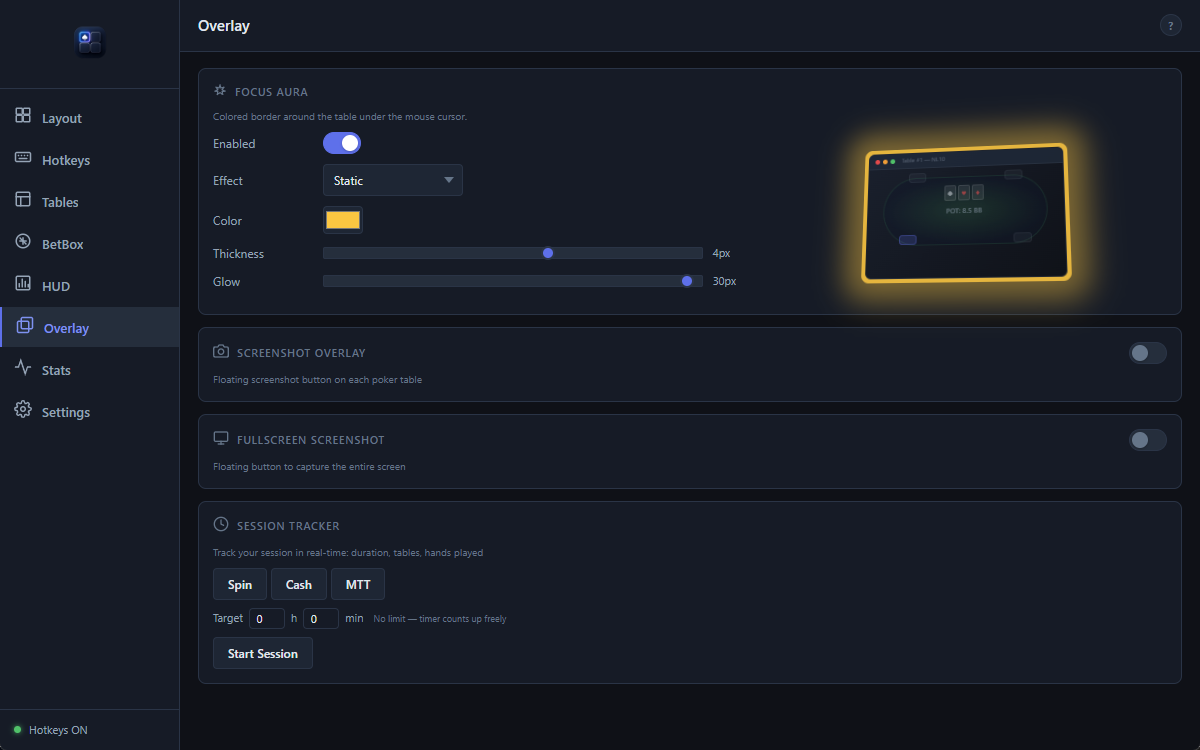
Auto-tiling arranges your tables, hotkeys drive your layouts, and Focus Aura outlines the table under your cursor.
Built around the real workflow of high-volume online players: opening tables, managing layouts, acting fast and keeping the screen clean.
Detects supported poker table windows and keeps your workspace organized as sessions evolve.
Event-driven table placement with atomic window moves for smooth, low-flicker workspace organization.
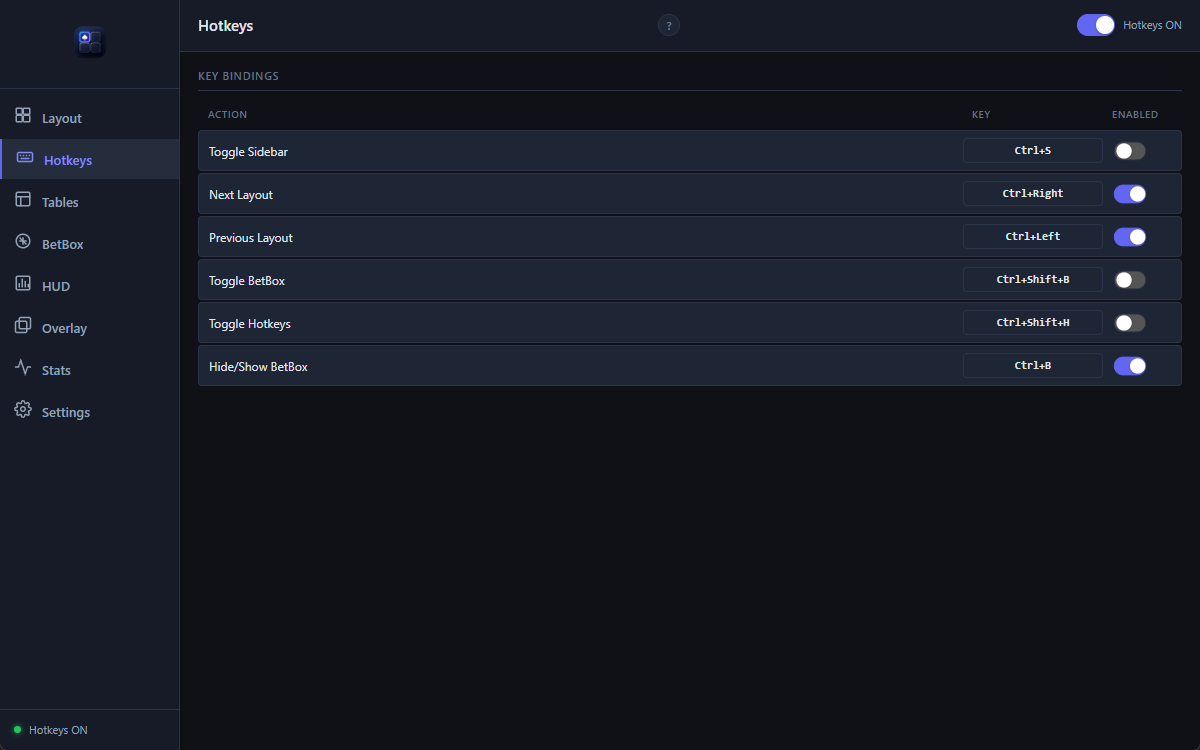
Configurable keyboard shortcuts for faster manual navigation and workflow control during multitabling sessions.
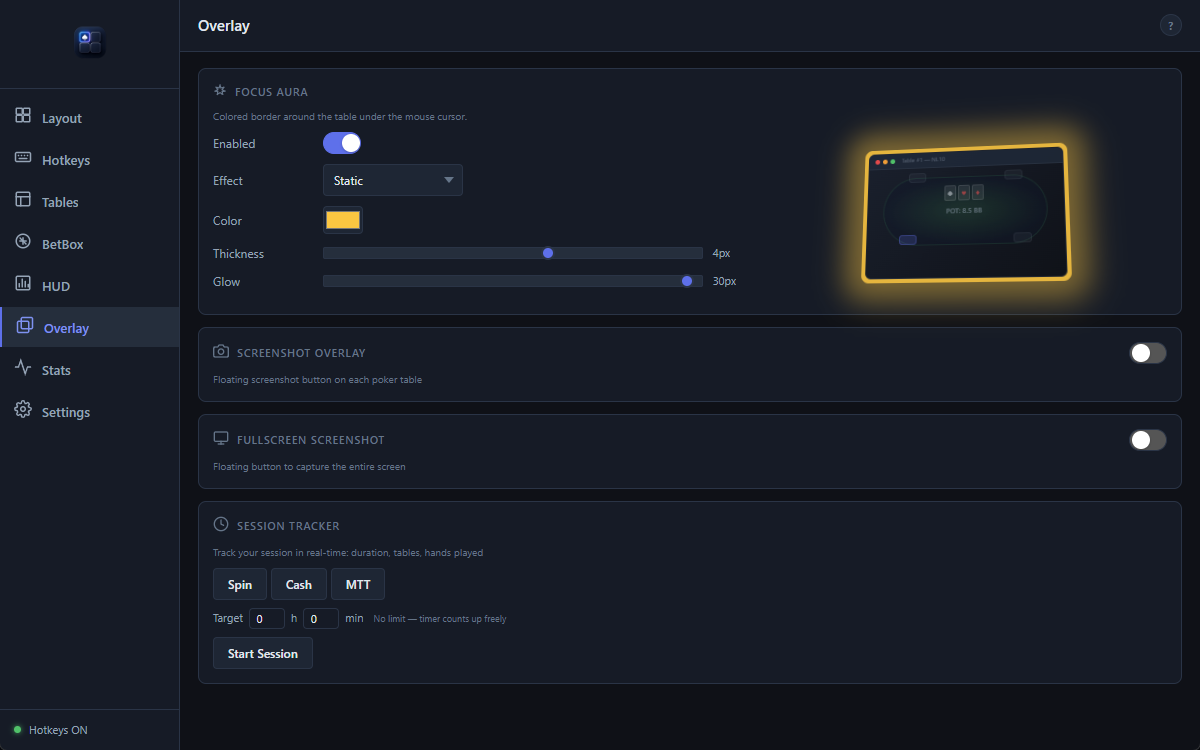
Visual highlight for the active table so your attention stays anchored during busy sessions.
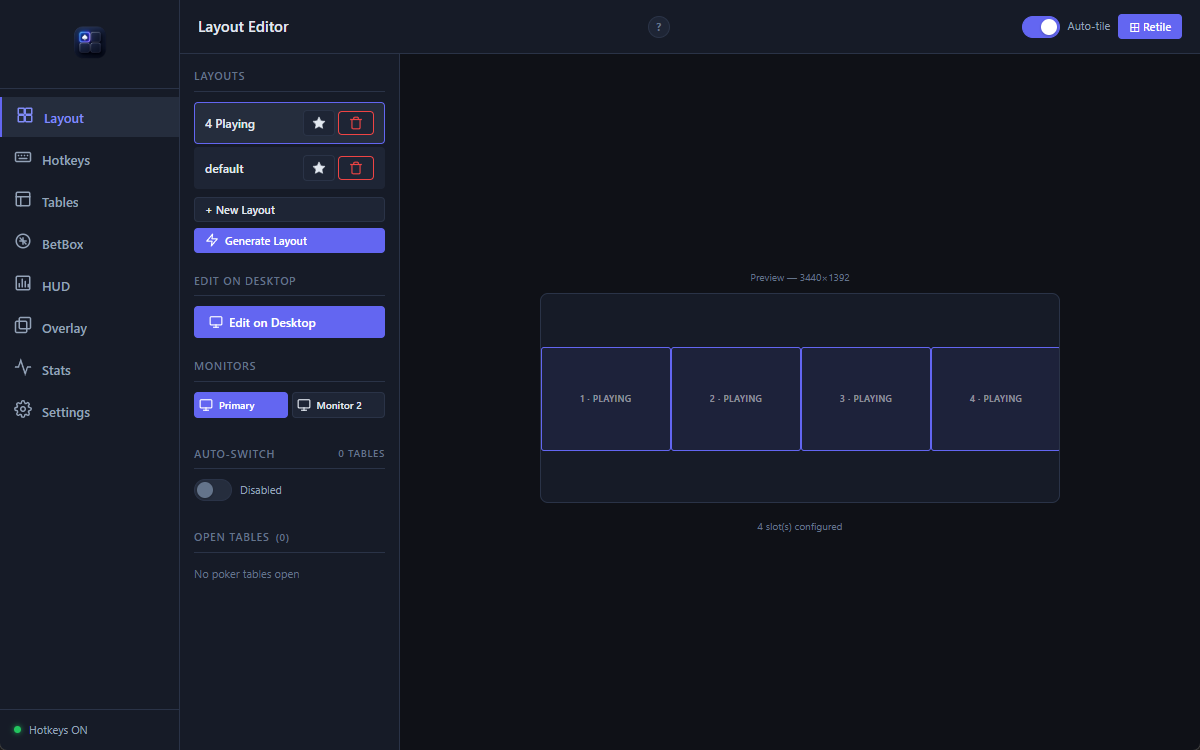
Create table, lobby, replayer and waiting slots across one or multiple monitors. Save and load layouts instantly.
Adjusts your selected workspace layout as table count changes, helping your desktop remain clean and readable.
Step-by-step setup guide to get you playing in minutes. Pick your room, configure your layout, and you're ready.
Seatify Pro is built in Rust — the same language used by Discord, Cloudflare, and Figma for performance-critical systems. Stress-tested with 28 tables and all overlays active under intense multitabling sessions. Purpose-built for raw performance on high-volume desktop workflows.
No mockups. These are actual screenshots from live poker sessions running Seatify Pro.
See how Seatify compares to other table management tools.
| Feature | Seatify Pro |
|---|---|
| Auto-tiling | ✓ Instant |
| Multi-room & apps | ✓ Rooms + Windows apps |
| Bet sizing overlay | Coming soon |
| Non-intrusive | ✓ Fully external |
| Layout editor | ✓ Visual drag & drop |
| Hotkeys | ✓ |
| Focus Aura | ✓ Fully customizable |
| Pricing | 10.99€/mo |
| Updates | ✓ Weekly |
| Built with | Native compiled (Rust) |
| Reactivity | Designed for low latency |
| RAM usage | Lightweight native app |
Thirteen rooms are confirmed and tested, twelve more are being added, and anything else can be taught to Seatify in seconds — see Seatify Engine below.
Confirmed rooms are tested and supported. Rooms under extended support are currently being integrated — detection and feature availability may still vary by room.
The room list above is a starting point, not a limit. When a window is not recognised — a room we have not reached yet, an exotic client, or a client that just updated — you can teach Seatify what it is in a few seconds, and pass that fix on to everyone else.
Open the Table Manager, pick the window Seatify got wrong, and say what it actually is: a table, a lobby, a waiting room, a replayer or a railed table.
The rule is saved on your machine and applies at once. No restart, no waiting for an update from us, no support ticket.
One click sends the rule in for review. Once approved it joins the shared set, and the next player hitting the same window never sees the problem.
Rooms change their windows without warning, and a detection fix used to mean waiting for our next release. Now the first player to hit it can fix it the same day — for themselves in seconds, and for everyone else as soon as the rule is reviewed.
The same mechanism covers the programs you keep beside your tables. If Seatify does not place your tracker or your browser where you want it, you teach it that as well.
Rules are local until you choose to share one. What gets sent is the shape of a window title, never its contents — no tournament numbers, no stakes, no player names.
A submitted rule is not redistributed until it is approved, and the set your app downloads is cryptographically signed and verified before it is applied. Your own rules always take priority over downloaded ones.
Available to everyone, including during the free trial.
Seatify Pro is designed as a desktop productivity layer for multitabling workflows. It focuses on workspace organization, ergonomic controls and performance — not gameplay automation or strategic assistance.
Seatify Pro operates as an external desktop overlay and window-management tool. It does not inject into poker clients, modify memory, manipulate network traffic or provide real-time strategic advice. Seatify does not make decisions, suggest actions, calculate optimal plays, or play automatically.
Users remain responsible for checking and following the rules of each poker platform they use.
Early access pricing — lock in these rates now.
Free trial
Early access price · Save 27%
Early access price · Save 33%
30-day free trial included. Early access pricing locked in for the duration of your subscription.
Seatify is designed as a desktop workflow and workspace tool. Some overlay features may use locally available information such as hand history files, user-configured inputs, or room-permitted desktop data sources depending on platform compatibility. Feature availability may vary depending on the poker room and its policies.
Seatify never injects into poker clients, modifies memory, manipulates network traffic, or provides strategic recommendations. Most rooms allow table management tools — check your room's specific ToS for confirmation.
Thirteen rooms and networks are confirmed and tested — Winamax, PokerStars, GGPoker, PMU Poker, Unibet, 888poker, CoinPoker, iPoker, Chico, WPN, Ignition, partypoker and SWC Poker — with twelve more being added. The Rooms section has the full list.
The list is not a hard limit. With Seatify Engine you can teach the app to recognise a window it does not know, including from a room that is not listed at all, and the fix applies immediately. Available features may still vary by room.
You fix it yourself, in seconds. Rooms change their window titles and classes without notice, and that used to mean waiting for our next release. With Seatify Engine you open the Table Manager, point at the window Seatify got wrong, and tell it what it actually is — a table, a lobby, a waiting room, a replayer or a railed table. The rule is saved locally and takes effect at once.
You can then share that rule with one click. Once reviewed, it joins the shared set and the next player who hits the same window never sees the problem. Rules the app downloads are cryptographically signed and verified before being applied, and your own rules always take priority over downloaded ones.
Seatify is NOT a HUD. It doesn't display opponent statistics or analyze hand histories to advise on play. It's a table management and workflow tool — auto-tiling, ergonomic action presets, layout management. Think of it as a professional workspace organizer for poker.
Seatify runs on your machine. No hand histories, no session data and no personal information are sent to our servers.
There are three kinds of network call, and that is the complete list: licence verification, software updates, and Seatify Engine. The Engine only talks to our servers when you ask it to — when you share a detection rule, or fetch the shared set. A shared rule carries the shape of a window title, never its contents: no tournament numbers, no stakes, no player names. Rules you keep to yourself never leave your PC.
Currently Windows only (Windows 10/11). macOS and Linux support are on the roadmap but not yet available.
Your license is tied to one machine at a time. You can deactivate and reactivate on a different machine (with a 7-day cooldown between switches).
If you subscribe during early access, your rate is locked in for the duration of your subscription. You'll keep paying 10.99€/month or 99.99€/year even if prices increase for new subscribers later.
Yes. Cancel from the Stripe customer portal (accessible from the app settings). Your access continues until the end of your current billing period. No questions asked.
Download Seatify Pro and start optimizing your sessions today.
Download Seatify ProDual-core 2 GHz · 4 Go RAM · No Java, no .NET required